
Python for Kids: Coding Games82.6.2 - Google Play
You'll be able to see results in few seconds.
Publisher Description



Block puzzles that become real code, turtle drawing & first programming lessons
Python for Kids turns block puzzles into real code. Kids snap blocks together, press Run and watch a character move, while the matching Python program appears right next to the blocks, with the running line lit up. Then they draw with the turtle, fix buggy programs and write their own code.
It is a step-by-step path from block coding to typed code, made for beginners who have never coded before and for children who already tried blocks and are ready for the next step.
BLOCK PUZZLES THAT BECOME REAL CODE
• 41 block coding puzzles: move, repeat, turn and fix the program to reach the goal
• Every puzzle shows the Python behind the blocks, so kids see what their program looks like
• Earn up to three stars by solving each level with as few blocks as possible
• Make your own level: design a puzzle and save it only after solving it yourself
• A new Arena puzzle every week: one shared puzzle, solved with the fewest blocks
TURTLE DRAWING STUDIO
• 14 turtle drawings made with short programs: a star, a flower, a spiral, a snowflake, a city and more
• Edit the code by tapping words and numbers, no keyboard needed
• Change a number, press Run and see the drawing change
• Watch the turtle draw each line step by step, then change the code and try again
BUG HUNT AND DAILY QUEST
• Bug Hunt: a program that is almost right. Run it, spot what goes wrong and fix it
• A daily quest keeps a gentle streak going
• Goals and hints can be read aloud, which helps early readers
LESSONS, STEP BY STEP
• 20 short courses with 84 lessons, from "What is coding?" to writing real programs
• The basics: print, variables, input, math, if/else, loops and range()
• Functions, lists, dictionaries, files and a first look at classes
• Later courses introduce libraries, PyGame, data and artificial intelligence
• Each lesson is short, with examples, quizzes and practice
• Notes, flashcards, a cheat sheet and saved lessons for review
60 MISSIONS
• Small programs to build: say your name, count to 10, draw a star shape, make a list of fruits
• Easy, medium and hard missions, so every child grows at their own pace
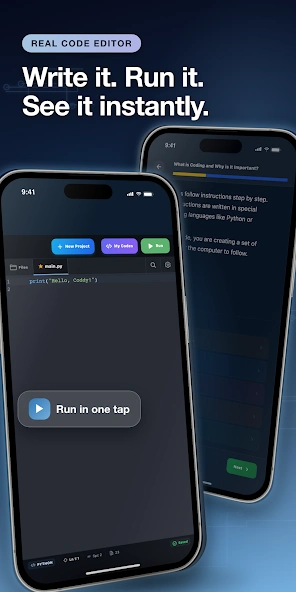
• An editor to write, run and save their own programs
FOR PARENTS
• Parent Corner: a weekly report of time spent and the ideas your child practiced
• The Parent Corner, purchases and links that leave the app sit behind a parental gate
• Parent Corner data is stored on the device only
• The app interface is available in 22 languages
WHAT CHILDREN LEARN
• Sequences and algorithms: giving the computer steps in the right order
• Loops: "do this 5 times" instead of writing it five times
• Conditions: making the program choose with if and else
• Debugging: reading a program that is nearly right and fixing it
• Functions and data: reusing code and storing lists of things
• Python, one of the most popular programming languages, from the very first lesson
FREE TO START, PRO FOR EVERYTHING
Start free with the first course, 12 block puzzles, 7 turtle drawings and the first missions. Pro unlocks every course, puzzle, drawing and mission, plus the final exam and a certificate of completion with your child's name on it. The app stays usable without a subscription.
WHY THIS APP
Many coding games for kids stop at blocks. Here the blocks are a bridge: every block program is also a Python program, so moving from block coding to typing real code feels like the next level of the same game, not a new subject. Kids learn to code by playing, drawing and fixing, then keep going with short lessons and missions.
Download Python for Kids and start with the first puzzle today.
Privacy Policy: https://coddykit.com/terms/privacy-policy
About Python for Kids: Coding Games
The company that develops Python for Kids: Coding Games is Coddykit. The latest version released by its developer is 82.6.2.
To install Python for Kids: Coding Games on your Android device, just click the green Continue To App button above to start the installation process. The app is listed on our website since 2026-10-11 and was downloaded 0 times. We have already checked if the download link is safe, however for your own protection we recommend that you scan the downloaded app with your antivirus. Your antivirus may detect the Python for Kids: Coding Games as malware if the download link to com.coddykit.python.kids is broken.
How to install Python for Kids: Coding Games on your Android device:
- Click on the Continue To App button on our website. This will redirect you to Google Play.
- Once the Python for Kids: Coding Games is shown in the Google Play listing of your Android device, you can start its download and installation. Tap on the Install button located below the search bar and to the right of the app icon.
- A pop-up window with the permissions required by Python for Kids: Coding Games will be shown. Click on Accept to continue the process.
- Python for Kids: Coding Games will be downloaded onto your device, displaying a progress. Once the download completes, the installation will start and you'll get a notification after the installation is finished.
Program Details
System requirements
Download information
Pricing
Version History
version 82.6.2
posted on 2026-10-11
• Refreshed look and smoother experience across the app• Improved translations — lessons and screens in your languageThanks for learning with us — your reviews help us improve!
Disclaimer
Official Google Play Link
We do not host Python for Kids: Coding Games on our servers. We did not scan it for viruses, adware, spyware or other type of malware. This app is hosted by Google and passed their terms and conditions to be listed there. We recommend caution when installing it.
The Google Play link for Python for Kids: Coding Games is provided to you by apps112.com without any warranties, representations or guarantees of any kind, so access it at your own risk.
If you have questions regarding this particular app contact the publisher directly. For questions about the functionalities of apps112.com contact us.
